
Before you decide what to build with AI, you need to understand where it will actually make a difference. User experience mapping gives your team a picture of the user’s existing reality: what they do today, where they hit friction, and which problems are worth solving. The output is a prioritized set of pain points your team can evaluate as AI use cases. The five steps below get you there.
Step 1: Choose One Persona

Most products serve multiple user types in the same workflow: end users who interact with output directly, managers who review and approve decisions, and administrators who configure the system. These users have fundamentally different journeys, different relationships to the product, and different definitions of what “working” means. Mapping all of them at once splits your focus and produces a map that is too broad to act on. Start with one persona: the user who either drives the most revenue for your business or delivers the most value through the product. Mapping the wrong persona first means you optimize for the wrong problems.
Consider a software company building a product for customer support teams. Their users include the Support Agent who handles tickets and owns the customer interaction, the Team Lead who monitors performance and manages escalations, and the Operations Manager who configures routing and maintains the knowledge base. The Support Agent is the right persona to start with. They are in the product all day, every day, and their efficiency directly determines resolution time and customer satisfaction. A product that solves a real problem for them creates clear, demonstrable value for the companies that buy it.
If you need guidance on how to build a persona from scratch, this post on creating personas that drive product decisions covers the full process.
Step 2: Break the Journey into 3 to 5 High-Level Stages
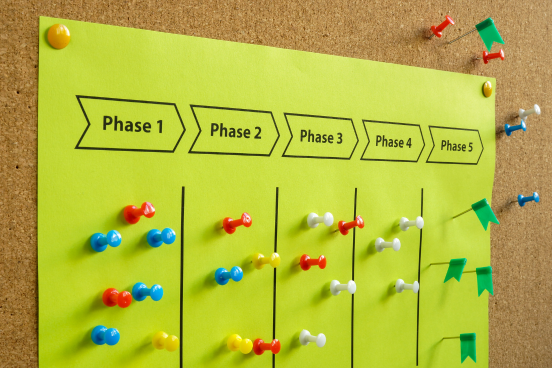
A user’s journey is the end-to-end experience of accomplishing a goal, unfolding across a series of stages that capture the user’s actions, thoughts, and emotions. The goal is a narrative structure, not a process map.
For most journeys, three to five stages is the right range. Fewer than three tends to collapse meaningfully different parts of the experience into a single stage. More than five tends to get granular in ways that belong in the next step.
For the Support Agent, the existing workflow breaks into five stages:
- Receiving and triaging the ticket
- Investigating the issue
- Responding to the customer
- Managing to resolution
- Closing and documenting the case
These stages cover the full arc of the Support Agent’s experience, from the moment a ticket arrives to the moment it is closed. They also capture the surrounding workflow: the steps that happen before and after any tool is directly in use. Capturing this context matters because friction is easy to miss when you focus only on the tasks themselves.
Step 3: Document the Activities Within Each Stage

With your stages defined, go one level deeper. For each stage, document the specific activities your persona performs.
Specificity is what makes this step useful. Activities within the “investigating the issue” stage might include: searching the internal knowledge base for relevant articles, reviewing past tickets for similar issues and resolutions, checking product documentation for technical details, reviewing the customer’s account history for context, and consulting with colleagues when the issue is unclear.
The stage level tells you what the user is doing. The activity level tells you where it breaks down. Each of those investigation tasks might seem minor in isolation, but when an agent repeats them across every ticket, separately, you start to see exactly where the time goes.
Step 4: Identify Pain Points Across the Journey

With activities documented, you can now identify where the user experiences friction, confusion, or failure. Pain points are specific: they belong to a particular activity within a particular stage, and they describe what is actually difficult for the user.
Generic pain points are not useful. “Tickets take too long to resolve” tells you nothing actionable. Specific pain points do:
- “The Support Agent searches the knowledge base, past tickets, product documentation, and account history separately for each ticket because there is no single place to find what they need. This adds time to every response.”
- “Because each agent searches independently, similar issues get resolved differently depending on what a given agent happens to find. There is no reliable way to surface the right answer consistently.”
You are not trying to solve these problems in this step. You are documenting them. The quality of your pain point identification depends on the quality of your source material. User interviews, direct observation, and usage data are far more reliable than team assumptions. If you do not yet have direct user input, treat your pain points as hypotheses to validate, not conclusions to act on. For techniques to gather that input, this post on product discovery and validation covers methods your team can apply directly.
Step 5: Align on Priorities Through Collaborative Voting
With pain points identified, the team needs to agree on which ones matter most. The purpose of this step is not just prioritization. It is alignment, and the two are not the same thing. A prioritized list handed down from leadership is not a shared view. The collaborative vote surfaces one.
Voting happens simultaneously and independently to guard against the HIPPO effect: once the most senior voice in the room signals a preference, independent judgment tends to collapse toward it. Silent, simultaneous voting interrupts that dynamic before it starts. For a broader look at consensus methods your team can use, this post on decision-making techniques for facilitators covers several approaches worth knowing.
After voting, the team reviews the results together. The discussion that follows is where much of the real alignment happens. It surfaces the reasoning behind individual choices and exposes disagreement that silent voting alone would not.
The output is a prioritized set of pain points with the full team behind them. That backing matters for what comes next.
From Map to Use Case
These five steps produce two things: a documented view of the user’s existing experience, and a team aligned on which problems matter most. That alignment is what makes the next question productive: where does AI actually help?
Without this foundation, AI use cases tend to be technology-led rather than problem-led. Teams identify what AI can do and work backward to find applications for it. The map reverses that. It starts with the user’s real problems and surfaces the ones significant enough to warrant a solution. Whether and where AI adds value is a question the team can now evaluate with evidence rather than assumption.